




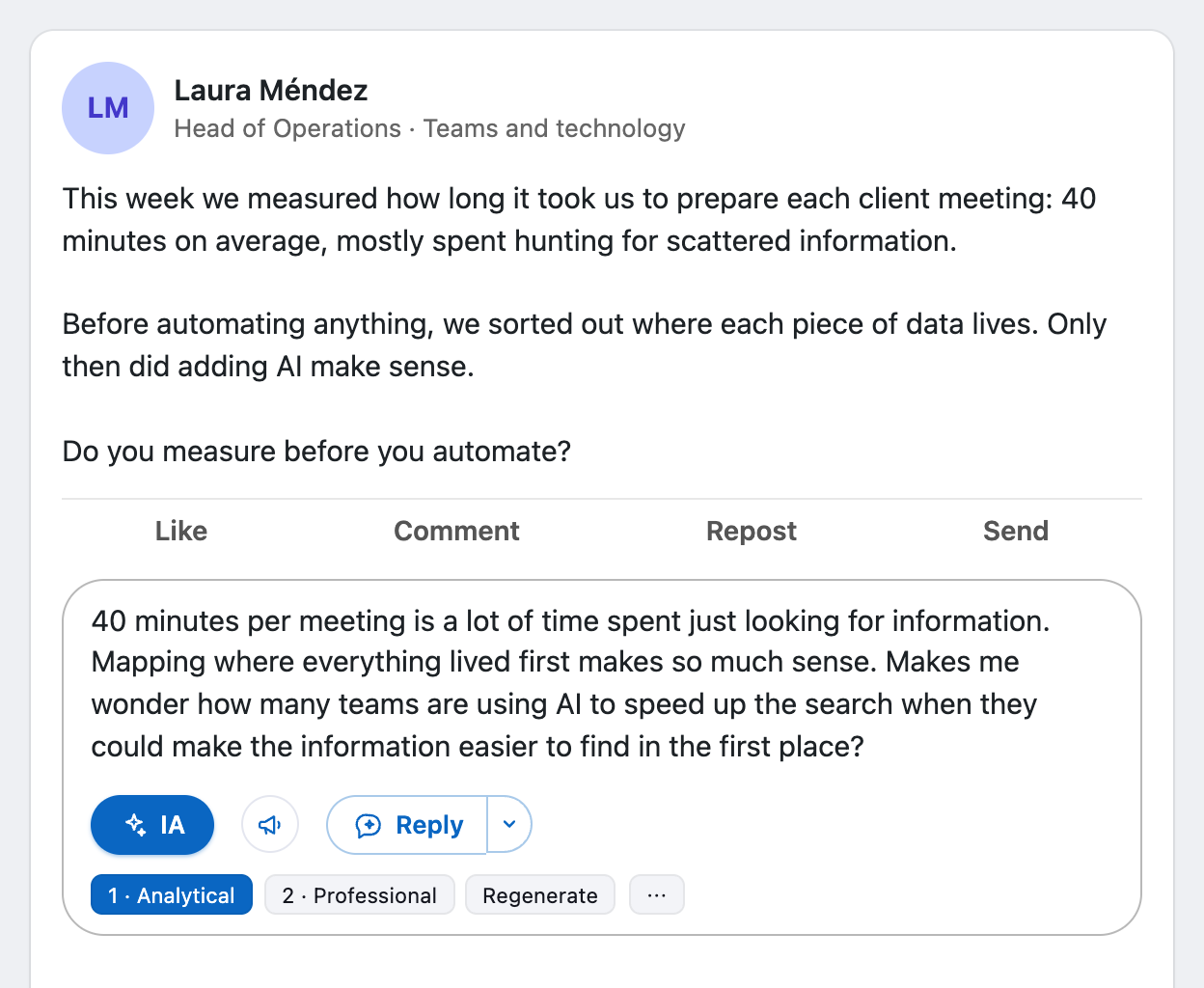
This week we measured how long it took us to prepare each client meeting: 40 minutes on average, mostly spent hunting for scattered information. Before automating anything, we sorted out where each piece of data lives. Only then did adding AI make sense. Do you measure before you automate?
Chrome extension for LinkedIn
LinkedIn comments that sound like you.
Brio drafts your comment from the post and its conversation, in your tone and with your samples. You review it and decide whether to post.
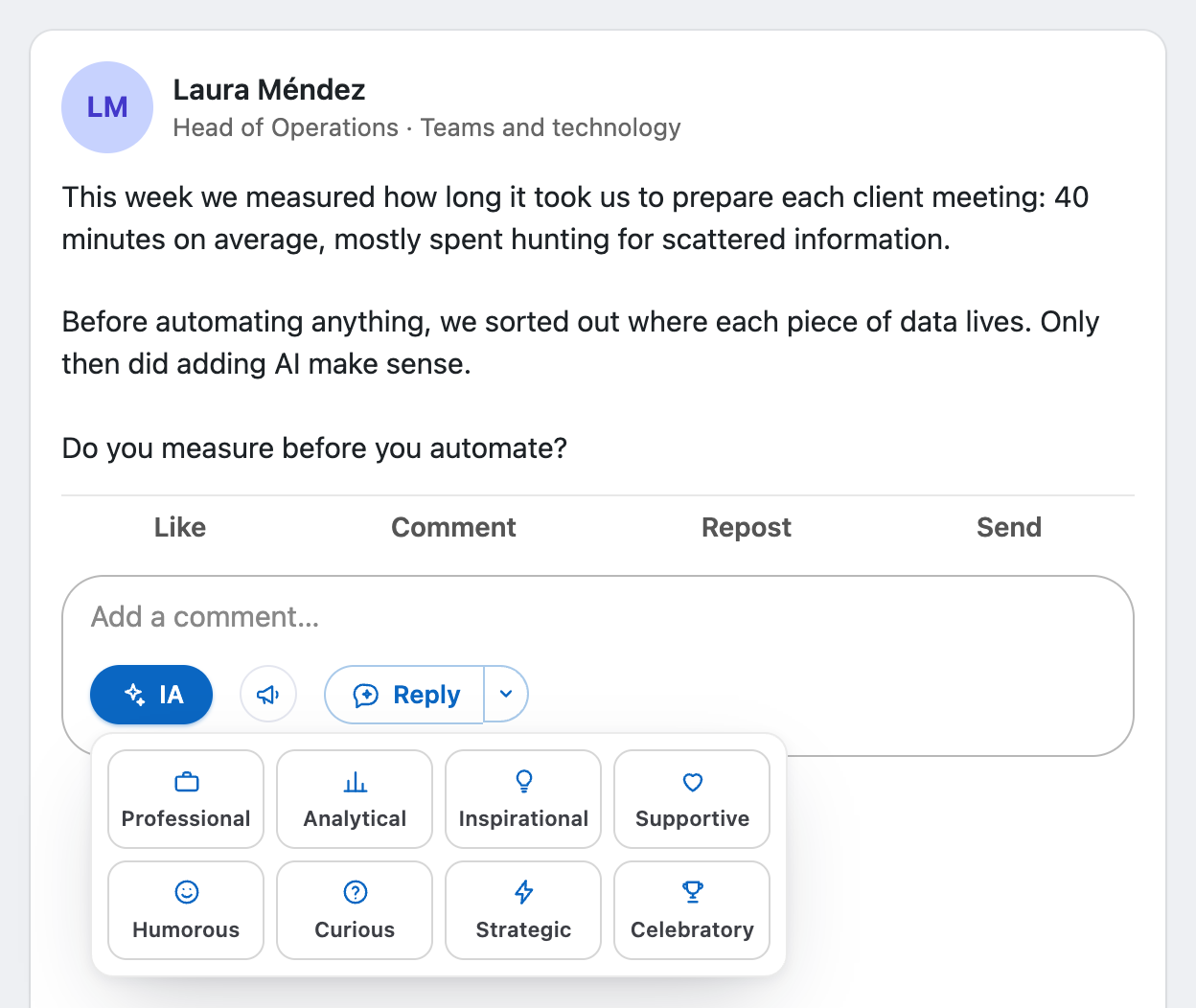
This week we measured how long it took us to prepare each client meeting: 40 minutes on average, mostly spent hunting for scattered information. Before automating anything, we sorted out where each piece of data lives. Only then did adding AI make sense. Do you measure before you automate?
IAStyle: Analytical
ProfessionalAnalyticalInspirationalSupportiveHumorousCuriousStrategicCelebratory
Agree on measuring before automating. My team learned it the other way around: we automated first and only then found out which steps were not worth keeping.
Draft. Nothing is posted without you.
PostWhy comment
On LinkedIn, the conversation lives in the comments.
Posting and waiting pays off less and less. A good comment shows up in front of someone else’s audience, and public data shows where the platform is heading.
Your comment reaches everyone reading that post, not just your connections.
- 1.2B
LinkedIn members, with four straight years of double-digit growth.
Source: Microsoft, fiscal year 2025 results - +30%
more comments on LinkedIn in a single year. Microsoft reported growth of over 30%.
Source: Microsoft, fiscal year 2025 results - −50%
organic reach, almost half, for posts in 2025, based on 1.8 million posts analyzed.
Source: Richard van der Blom, Algorithm InSights 2025 - +30%
more engagement on posts whose authors reply to comments. 72,000 posts from nearly 25,000 accounts.
Source: Buffer, December 2025
Brio helps you add thoughtful comments in your voice. You always hit post yourself.
License
Comment with animated stickers and GIFs
A comment with a sticker stands out in the feed. Brio finds the sticker that fits what you wrote and adds it to your comment in one click.
- Animated GIPHY stickers, with a search suggested from the tone of your comment.
- GIFs: opens the LinkedIn GIF picker with the search already typed.
- All without leaving the post.
How it works
Open the comments
On any LinkedIn post, the Brio button shows up next to the comment box.
Pick a style
Professional, analytical, curious, humorous and four more. Or let smart reply choose from the conversation.
Review and post
The draft lands in the box. Edit it, ask for another variant, or post it yourself.
Manual install: new versions first
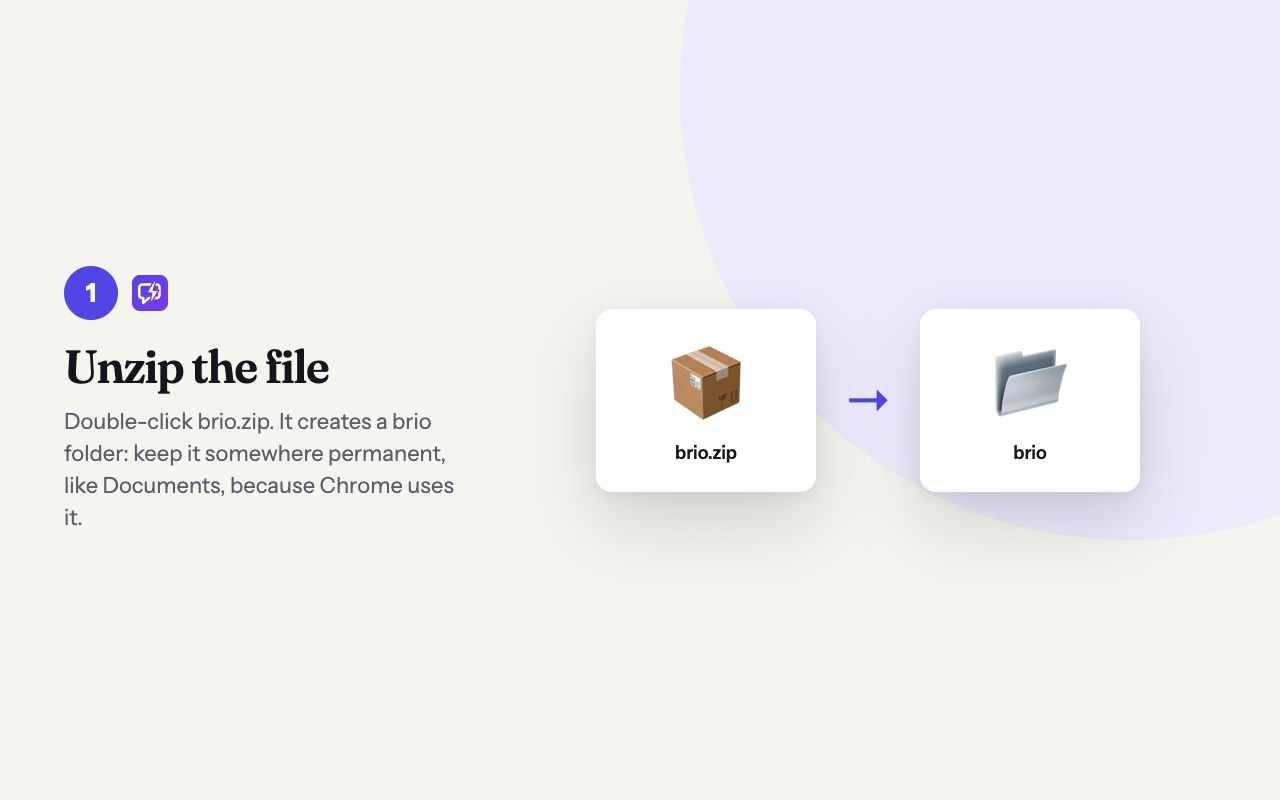
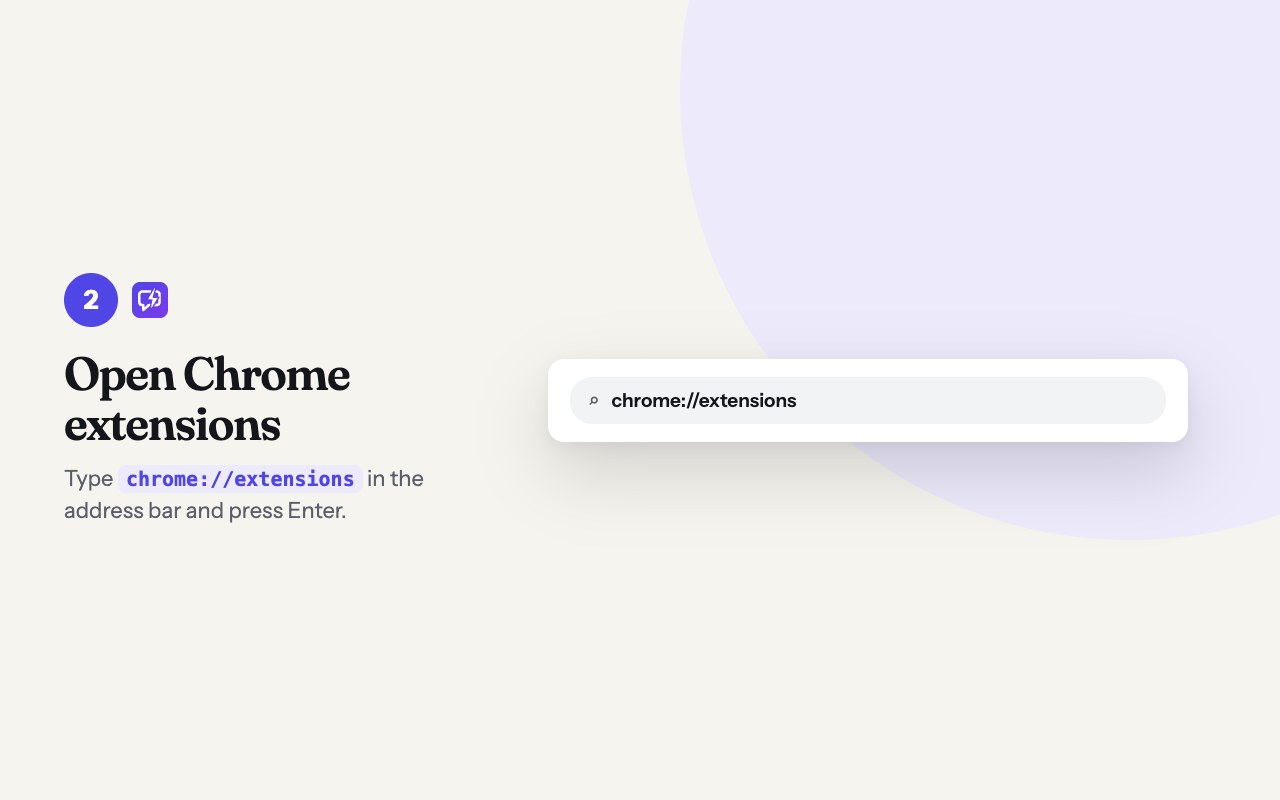
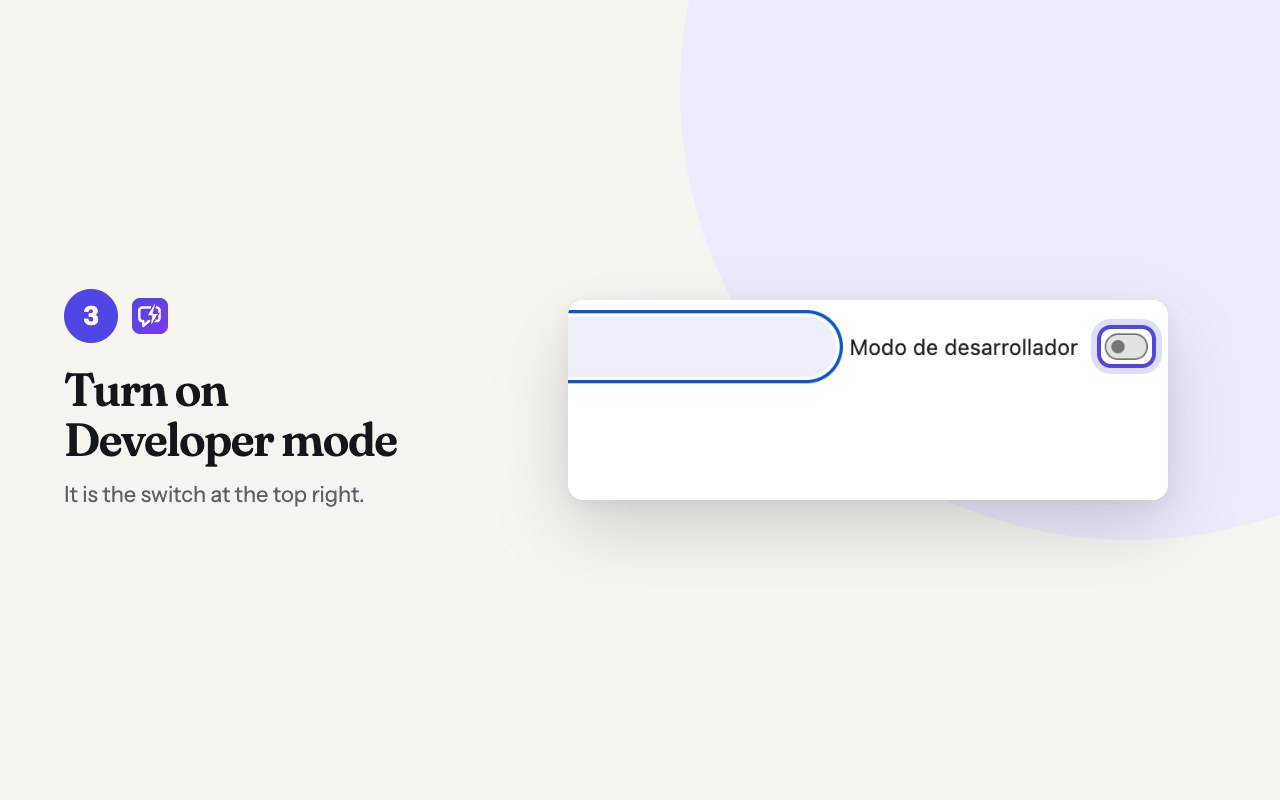
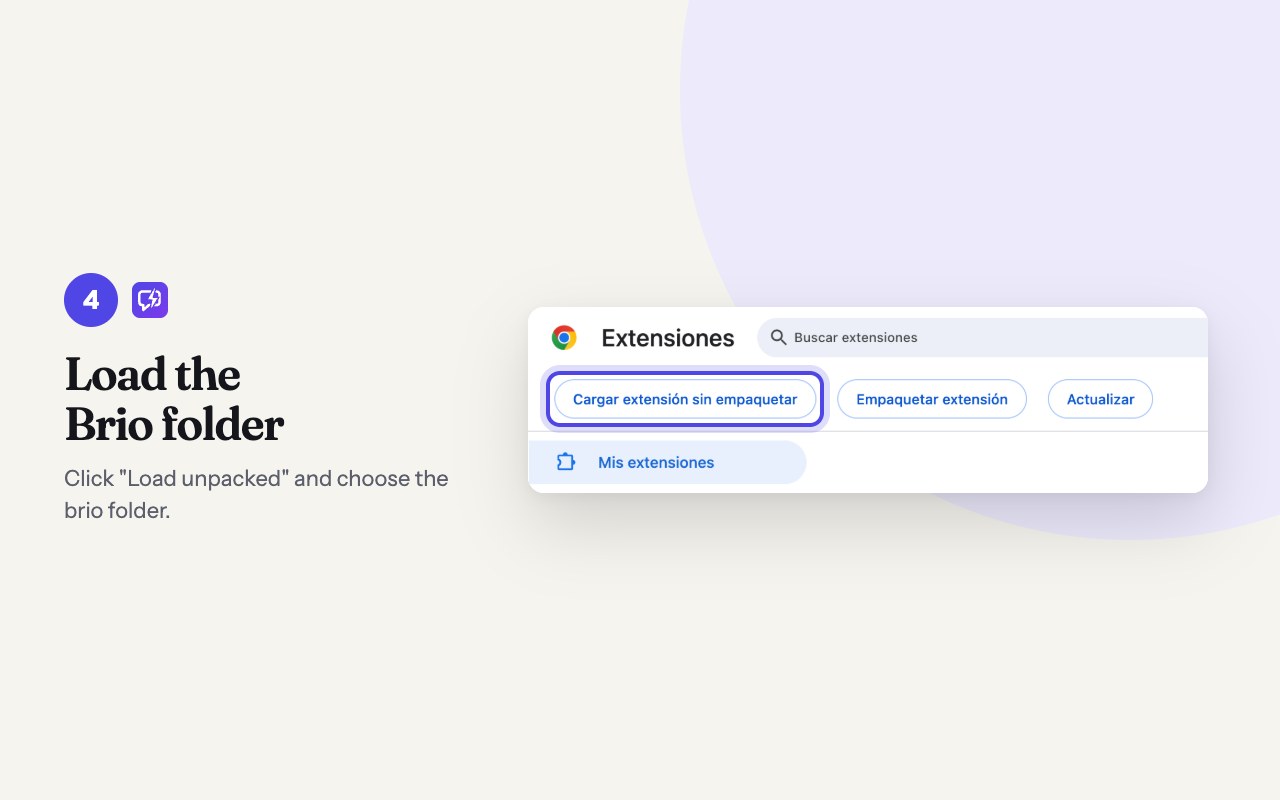
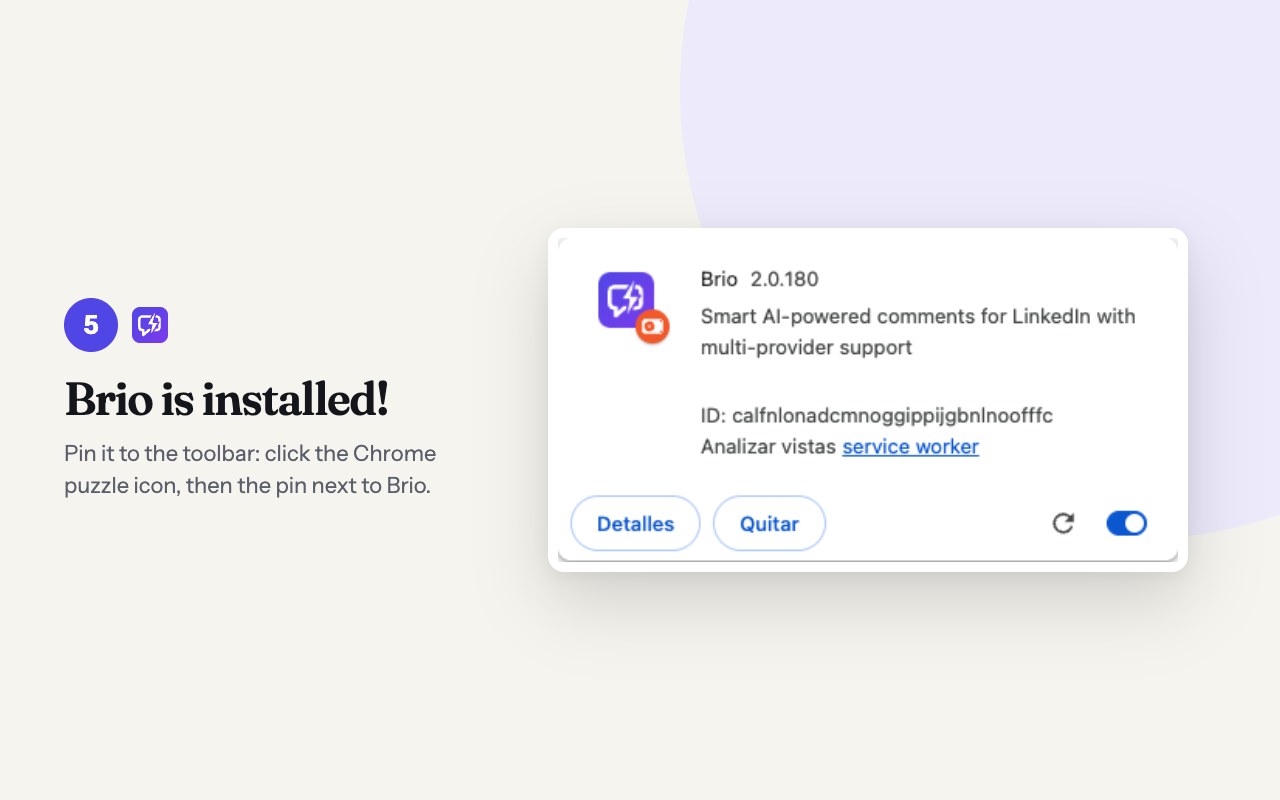
The simplest way is to install Brio from the Chrome Web Store: it updates itself. But every new version takes a few days to clear Google review, and it reaches this download first. If you want it as soon as it ships, install it by hand with Chrome developer mode: seven steps.
Install from the Chrome Web Store
Download brio.zip
For Chrome on desktop: Windows, Mac or Linux.
The manual version does not update itself: when a new one ships, download it again. If you switch from one install to the other, you paste your key and license again.
Tell me when a new version ships
We only email you when a new version of Brio ships. Unsubscribe with one click.
See it in action
Real examples
The same post, two styles. These are unedited drafts generated by Brio: with your voice profile, they sound like you.
Forty minutes to prep for each client meeting is a useful number to start with, especially when so much of it goes into finding information you already have. Once you know where everything lives, you can see whether AI actually cuts that prep time.
40 minutes per meeting is a lot of time spent just looking for information. Mapping where everything lived first makes so much sense. Makes me wonder how many teams are using AI to speed up the search when they could make the information easier to find in the first place?
What you get
Your voice
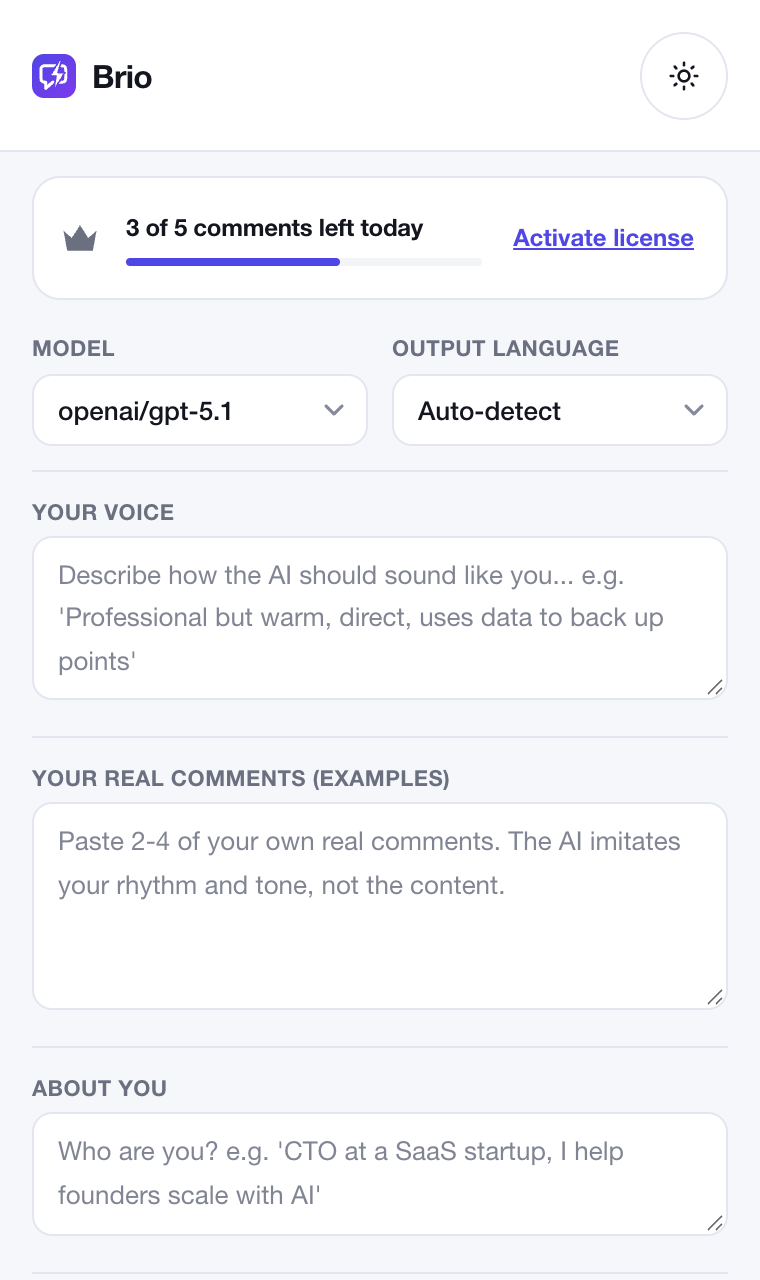
A profile and samples of your own comments: Brio mirrors your rhythm and tone, not the content.
Variants
Several versions so you can keep the one you like best.
Call to action
Optional, at the strength you choose, plus length and emoji level.
Lead magnet campaignsLicense
When your post asks people to comment a keyword, Brio gathers them and helps you reply one by one. The link goes by private message.
Stickers and GIFsLicense
Animated GIPHY stickers matched to your comment, plus the LinkedIn GIF picker with a suggested search.
Your key, your provider
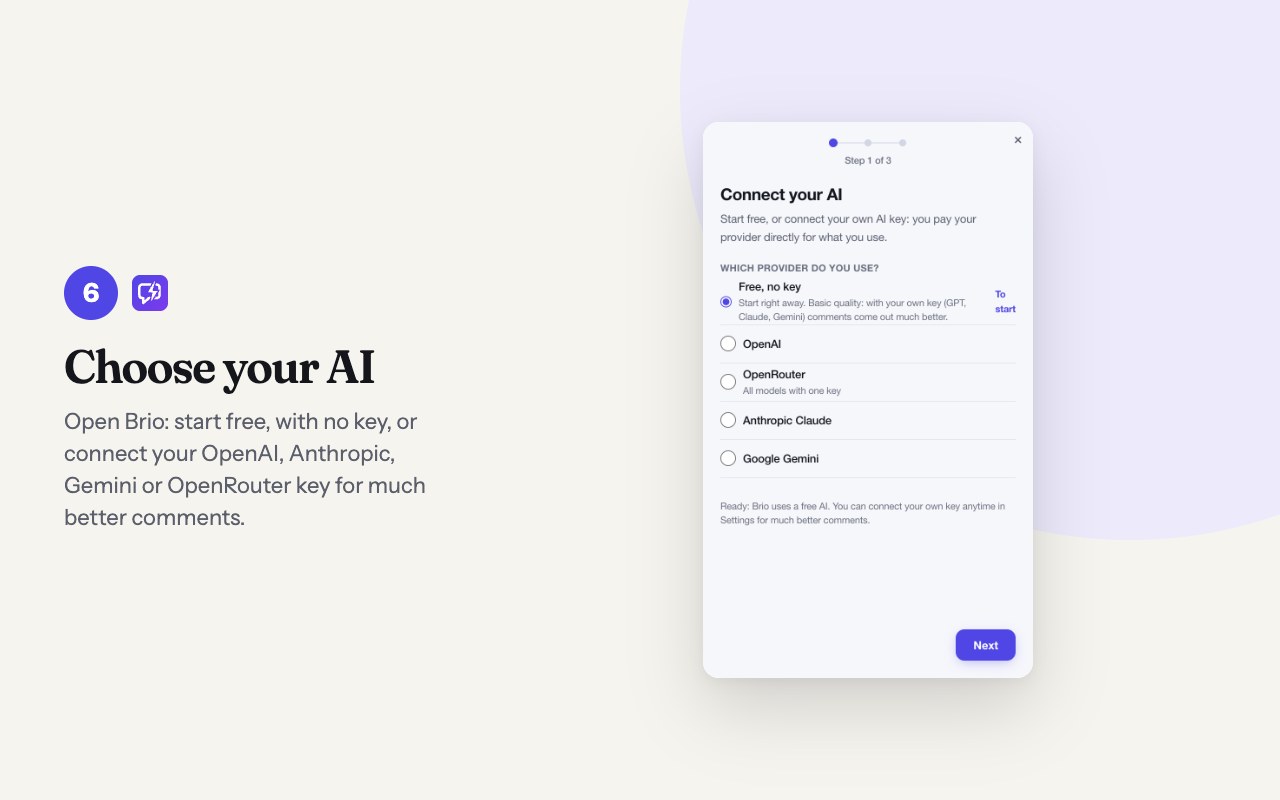
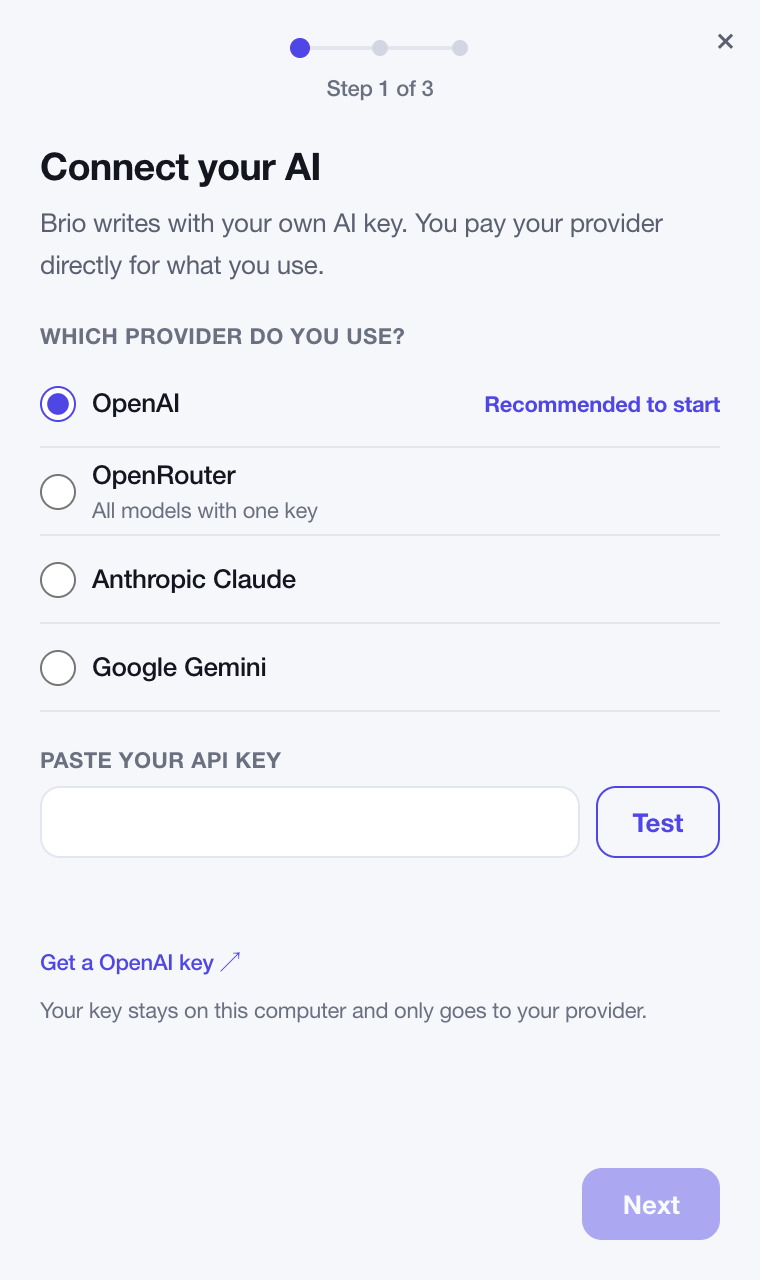
Brio uses your own OpenAI, Anthropic Claude, Google Gemini or OpenRouter key. Your provider bills usage separately, based on what you use. The key stays on your computer and only goes to your provider.
No key yet? Brio includes a free AI to get started: it uses Chrome built-in AI if your computer has it, and ours otherwise, which stores nothing. With your own key, comments come out much better. Brio uses no third-party analytics and shows no ads.
Pricing
Free
USD 0
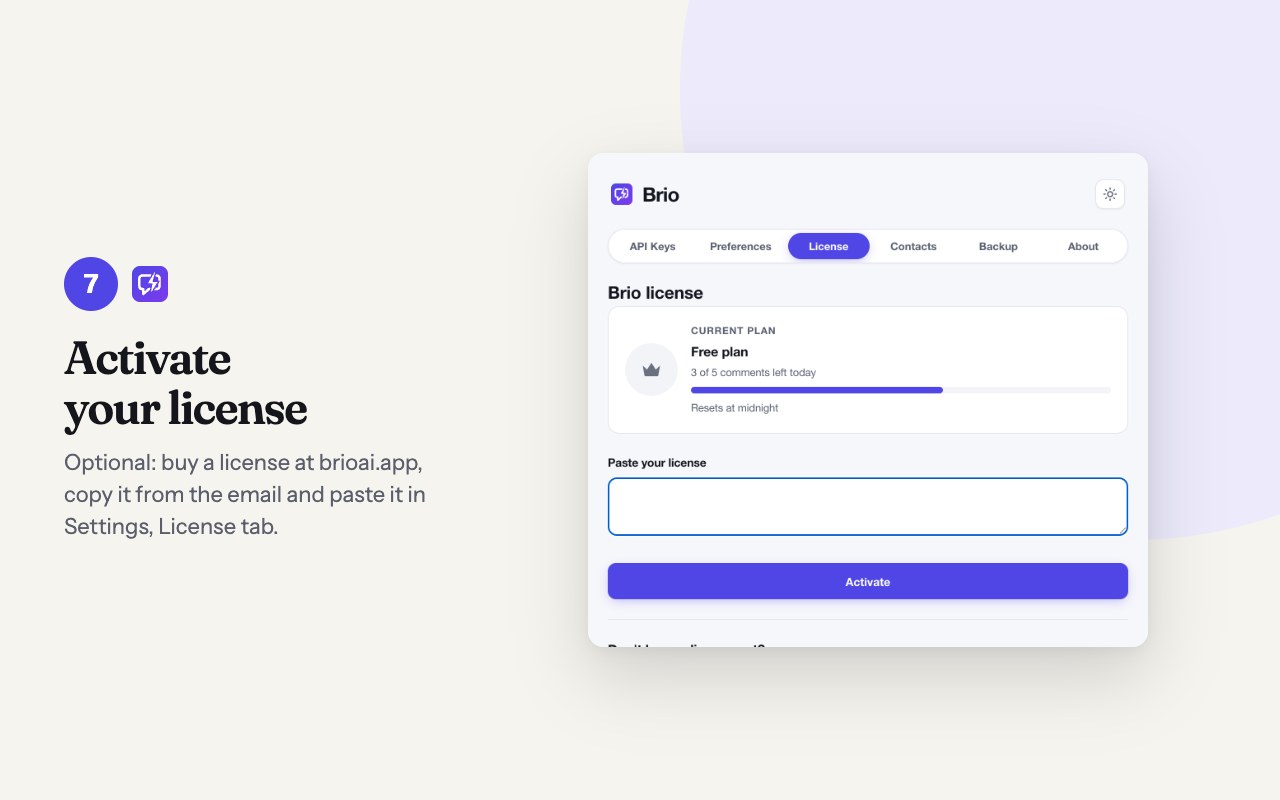
- 5 comments a day
- Resets at midnight
- Every style and variant
- Free AI included, no key
Launch price · 38% offUSD 79 USD 49
License
- One-time payment
- Unlimited comments
- Animated stickers and GIFs
- Lead magnet campaigns
- Every version 2 update
Pay by card
In Latin America? Pay in your currency
In Latin America you see the price in your currency and pay with local methods.
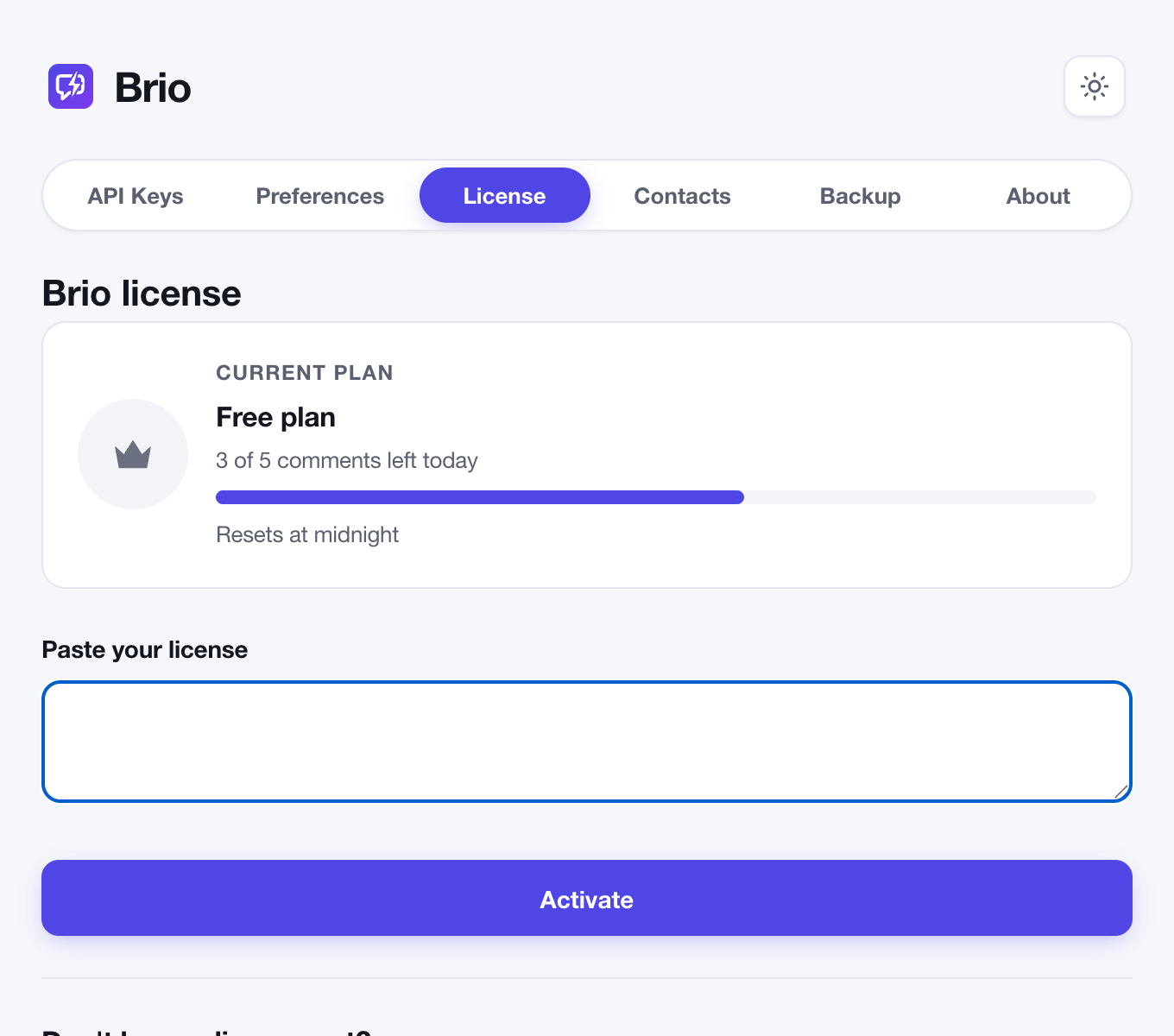
Your license arrives by email. Paste it in Brio, Settings, License tab.
FAQ
Does Brio post for me?
No. It leaves the draft in the comment box and you always hit post yourself.
Why does the manual install need developer mode?
It is how Chrome installs extensions that do not come from the Chrome Web Store. If you would rather not turn it on, install Brio from the Store. Brio only asks for access to LinkedIn, the AI providers you choose and GIPHY.
Do I need an AI key?
Not to get started: Brio includes a free AI so you can try it right after installing. For much better comments, connect your OpenAI, Anthropic Claude, Google Gemini or OpenRouter key; the setup assistant walks you through it.
What if I use my 5 comments for the day?
They reset at midnight. With a license they are unlimited.
Which languages does it write in?
The interface is in Spanish and English, and the draft can follow the language of the post or the one you pick.
Is Brio affiliated with LinkedIn?
No. Brio is an independent extension, not affiliated with or endorsed by LinkedIn.